A video interview is not a remote version of an in-person interview. The camera compresses context, lighting changes how you look, and your background tells a story about you before you say a word. Treating it like a regular interview with a laptop propped on a desk is the most common mistake.
Here’s what to think about — outfit first, then the rest of the frame.
What to Wear
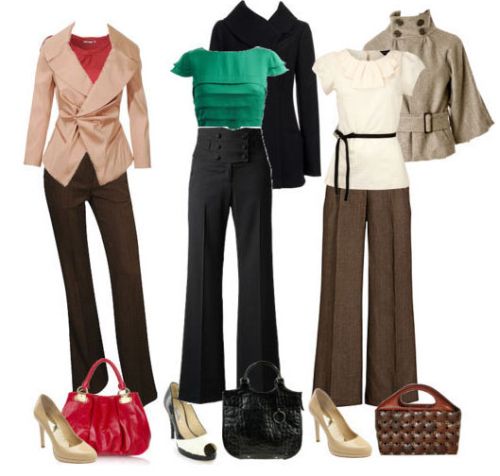
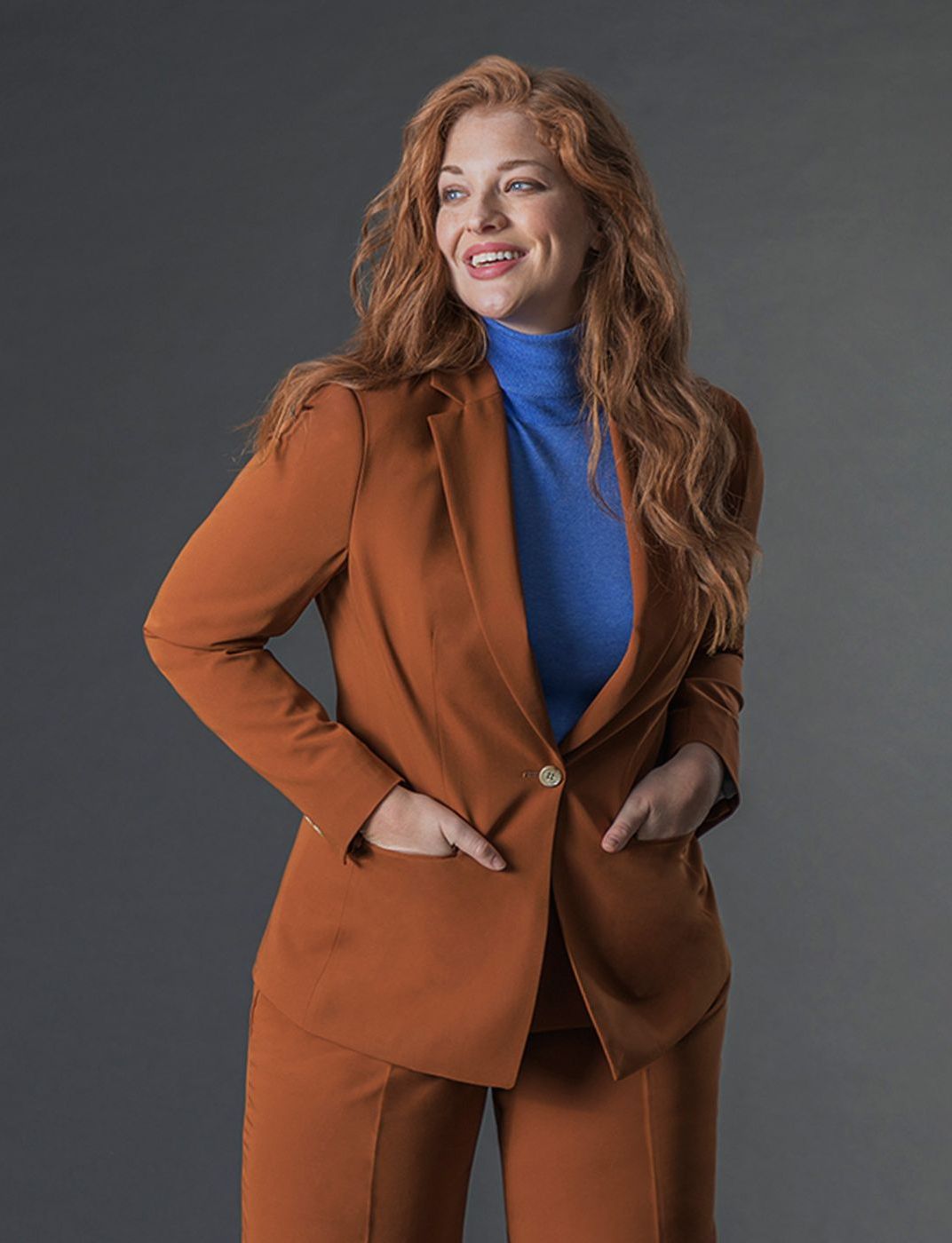
The camera flattens colour and texture differently than the human eye. Patterns that look sharp in person — fine stripes, small checks, busy prints — can create a distracting moire effect on screen. Solid colours read cleaner. Blues and greens tend to come through particularly well. Avoid pure white (it washes out against most backgrounds and causes exposure problems) and pure black (it absorbs light and can make your face look disembodied).
Dress to the waist, at minimum. Yes, technically you only need to look professional from the shoulder up. But dressing fully helps your posture and mindset. People who’ve dressed only the top half of their body for video calls will tell you it feels slightly off, and that feeling shows.
Keep accessories minimal. Earrings or jewellery that moves catches the camera in a way it doesn’t in person. Audio-wise, anything that clicks or jangles near a microphone creates noise. A watch is fine; a charm bracelet worn near your lapel mic is not.
Match your clothing to the company’s culture, not just the role. Research is the same as for an in-person interview. A startup doing video calls in hoodies will read your blazer-and-collar combination as either formal or nervous. A financial services firm doing the same call will read it as appropriately dressed. When in doubt, slightly more formal than you think is necessary is the safer error.
Background
Your background is the first thing an interviewer notices — before you speak. It shouldn’t compete with you.
The best background is a plain wall, a bookshelf with organised books, or a neutral, uncluttered room. It shouldn’t distract. The goal is for the interviewer to focus on your face, not on reading the titles on your shelves or wondering what’s in the corner.
Avoid virtual backgrounds unless they’re genuinely necessary. They create a halo effect around moving hair and shoulders, and they look artificial in ways most people don’t notice until they’re on the receiving end. If you must use one, a neutral room or a blurred version of your actual space is better than a stock office image.
Check what’s directly behind you at camera level. Get into your interview chair, angle the camera where it’ll be positioned, and look at what’s in the frame. A door left ajar, a pile of laundry just outside the frame that could appear if you shift forward, a window directly behind you — these are things you won’t notice until you check.
Light source behind you is the single most common problem. A window or lamp behind you throws your face into silhouette. Move so the light source is in front of you or to the side.
Lighting
Poor lighting does more damage to your interview presentation than almost any other single variable, and it’s the easiest to fix.
Face your primary light source. Natural light from a window in front of you is ideal. If the window is to your side, that’s also fine — it creates natural depth. What you want to avoid is the window being behind you, which puts your face in shadow and blows out the background.
If you’re doing the interview in the evening or in a room without natural light, a simple ring light placed at eye level in front of you solves the problem. They cost between £15–£40 and the difference on camera is significant. An alternative is a regular desk lamp positioned in front of and slightly above your eye line, with a white or neutral-coloured wall nearby to bounce the light.
Overhead lighting creates shadows under the eyes. This is why everyone looks slightly tired in video calls held in offices with only ceiling lights. A front-facing light source fills those shadows in.
Camera Position and Framing
The camera should be at or very slightly above eye level. Not below — looking down into a camera that’s resting on a desk creates an unflattering angle and signals you haven’t prepared the setup. Laptop on books, external webcam on a monitor, or a phone mounted at the right height all work.
Frame yourself so there’s a small amount of space above your head and your shoulders are fully in shot. You want the interviewer to see your face and upper body clearly. Too close and it feels crowded; too far and you become a small figure in a big room.
Look at the camera when speaking, not at the interviewer’s face on screen. This is counterintuitive but important. Eye contact on video is made by looking at the camera lens, not at the image of the person. Glancing down at their face reads as averted eyes. You can look at the screen to check their reaction, but when you’re speaking, look at the dot.
Free: The Complete Interview Prep Kit
Interview checklists, tough question frameworks, and salary negotiation scripts. Sent to your inbox instantly.
The Hour Before
Do a tech check with the actual device and the actual platform you’ll be using. Zoom behaves differently from Teams, which behaves differently from Google Meet. Check that your microphone input is set correctly (built-in mics on laptops often pick up keyboard noise), that the camera is showing the right frame, and that your background looks the way you think it does.
Close everything else running on your machine. Screen-share notifications and email pop-ups have derailed interviews. Turn on Do Not Disturb. Silence your phone and put it out of reach.
Have water nearby. Not coffee — coffee stains are visible, mugs are distracting, and caffeine jitters are real. A plain glass of water to the side of the frame is the only thing you need.
Quick-Reference Checklist
Before the call, go through this:
- Clothing is solid-coloured, no distracting patterns
- Background is clean and uncluttered at camera angle
- Light source is in front of you, not behind
- Camera is at eye level or just above
- Audio tested — no echo, no background noise
- Do Not Disturb turned on, phone silenced
- Platform tested, correct microphone selected
- Water within reach
FAQ
Does the same dress code apply as an in-person interview? The formality level should match the company. What changes is the technical setup — the camera, lighting, and background — not the professional standard. For the full breakdown of how to dress by industry and role, see What Is Your Interview Attire Saying About You?
Can I use a virtual background? Yes, but they look artificial and create tracking artefacts around moving edges. A real, tidy background is always preferable if you have one.
What if I’m at home and can’t control background noise? Let the interviewer know briefly at the start — “I’m working from home today; apologies if there’s occasional background noise.” Don’t over-apologise, but flagging it removes the awkwardness if it happens.
Is it weird to look directly at the camera the whole time? It’s normal to look at the screen to check the interviewer’s reaction — just return to the camera when you start speaking. You don’t need to stare at the lens for the entire call.
Does it matter if my lighting isn’t perfect? A well-lit face signals preparation and attention to detail. An interviewer won’t reject you purely for dim lighting, but in a close decision between two candidates, small presentation signals accumulate.
Get 50 Interview Questions + Expert Answers — Free
Join thousands of job seekers who've used our free guide to land more interviews.
Next step for your job search
Pick one guide and keep momentum.
Jobiety Editorial Team
Our editorial team researches and tests every piece of career advice we publish. We draw on real hiring data, interviews with recruiters, and hands-on experience to give you guidance that works.